
WordPress Plugins Are Not Plug-and-Play – Why Installing One Requires Professional Review
Your WordPress admin panel looks inviting. You log in, you see a library of plugins thousands of them and the temptation is immediate: Install now. It’s that simple, right?
Wrong. And this misconception costs businesses real money.
Most SME owners assume WordPress plugins work like apps on their phone or software on their Windows computer. You find one you need, you click install, it works. But that assumption is dangerously wrong. Installing a WordPress plugin is not a software purchase. It is a business infrastructure decision. And deciding to make that decision without professional review is how websites break, security gets compromised, and costs spiral.
Let me explain why and more importantly, what you need to know before you install anything.

The Core Problem: Each Plugin Is Managed By Someone Different
When you install an app on your phone, Apple or Google has already vetted it. There are standards, security checks, and accountability.
WordPress plugins have none of that.
Each plugin is managed by a different person or company sometimes a professional development firm, sometimes a freelancer, sometimes a hobby project. Some plugins are paid products with dedicated support teams. Some are free and maintained by volunteers. Some were abandoned years ago and nobody maintains them anymore.
This is the critical point your website needs to be protected from: You cannot treat all plugins equally. You cannot assume that just because a plugin exists and has a good description, it is safe to install.
Here’s what actually happens when you install a plugin without review:
- The plugin runs code on your website. That code has direct access to your database, your customer information, your website files, and your hosting infrastructure.
- If the plugin was poorly written, it might slow your site down, conflict with other plugins, or introduce security vulnerabilities.
- If the plugin is no longer maintained, it will eventually become incompatible with new WordPress versions. When WordPress updates, your site breaks.
- If the plugin was abandoned or compromised, it might give hackers a door into your website. A hacked website does not just lose traffic. It loses trust and trust is harder to recover than rankings.
The Five Things You Must Check Before Installing Any Plugin
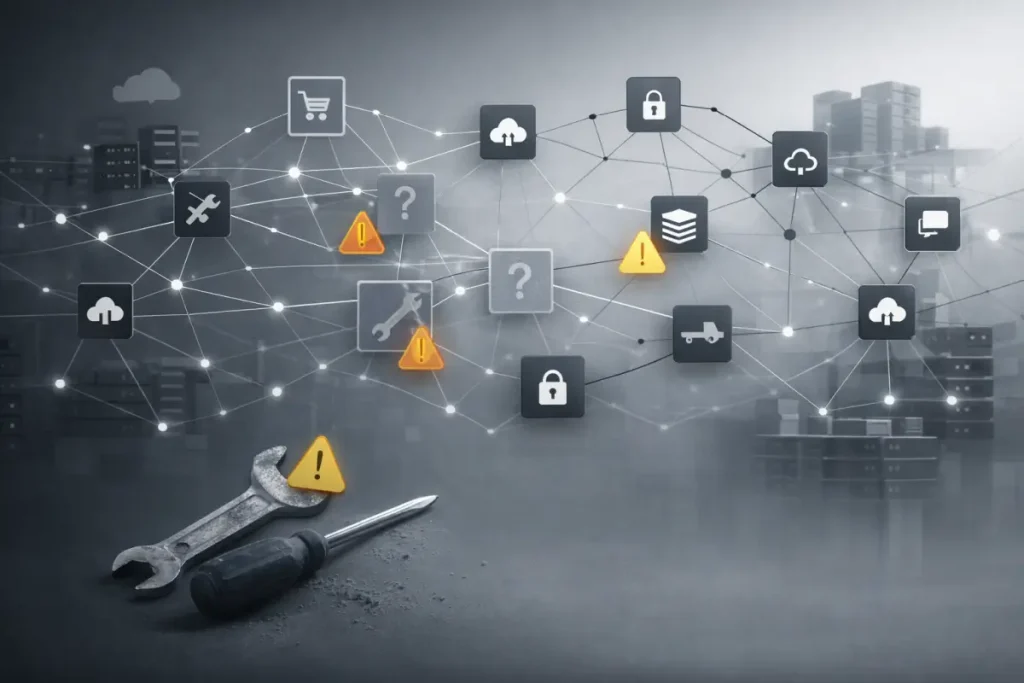
Professional review means checking five specific things. If you are thinking about installing a plugin or if you have recently installed plugins without this review you need to know these:
1. Is the plugin still actively maintained?
Look at the plugin’s WordPress repository page. When was the last update? If the last update was more than six months ago, or if the plugin hasn’t been tested against the current WordPress version, that is a red flag. An unmaintained plugin is a future problem waiting to happen.
2. Does it work with your current WordPress version?
WordPress updates regularly. When it does, plugins must be updated too. If a plugin was written for WordPress 5.0 and you are running WordPress 6.5, you need to confirm it still works. This is not obvious. Many SME owners install plugins without checking this then their site breaks on the next WordPress update and they wonder why.
3. What are the support terms?
If the plugin breaks, who fixes it? Is there a dedicated support team? A help forum? Or is it “good luck”? If the plugin is free, do not expect enterprise support. If it is paid, confirm what support actually includes.
4. Is the plugin secure?
Has it been audited? Has it ever had security issues? Check the WordPress security community, check reviews, check whether the developers respond to security reports. A free or paid plugin with a history of ignored security issues is a liability.
5. Does it conflict with your other plugins or your hosting environment?
Some plugins don’t work well together. Some require specific server configurations. Installing one plugin and then discovering it conflicts with another plugin is how websites stop working.
A Real Malaysian Scenario: The Cost of Skipping Review
A manufacturing company in Shah Alam was running a WordPress site. The owner’s nephew suggested installing a plugin to improve site speed. It looked legitimate good rating, thousands of installations, clear description.
Nobody reviewed it first.
Three months later, a WordPress update came out. The plugin wasn’t compatible. The website went down during a period when they were expecting a major customer inquiry. The site stayed broken for two days. The customer, unable to reach them online, went to a competitor. They never found out.
Total cost: not just the lost contract, but the lost time troubleshooting, the emergency support call to fix the site, and the customer relationship that might never come back.
All of this was preventable. A single professional review of that plugin checking maintenance status, compatibility, and security would have flagged the risk before installation.
Why You Need Professional Help
You might think: “I can just read the plugin reviews and check these things myself.”
You can. But here is the honest truth: most SME owners should not.
Not because you lack intelligence. Because you lack the specific technical knowledge needed to evaluate plugin code, security architecture, and compatibility complexity. It is not your job to know this. It is your job to run your business.
That is exactly the problem most website vendors have created. They build websites and then leave you to manage them like a consumer installing software, troubleshooting problems, hoping nothing breaks.
Entertop works differently. We do not build a website and then disappear. We remain the accountable partner. When a decision like plugin installation comes up, you get professional review before the installation, not after it breaks.
The Key Takeaway
WordPress plugins are powerful tools. They can genuinely improve your website’s functionality, performance, and user experience.
But they are not “plug-and-play.”
Each one is a decision about what code you are allowing to run on your business website. Each one is a decision about your security, your stability, and your risk profile. Those decisions should not be made by guessing, installing, and hoping. They should be made by professional review.
If your website runs on WordPress and you have recently installed plugins, had plugins installed by a previous vendor, or are thinking about adding plugins, you should have those evaluated by someone who can actually assess the risk.
That is not paranoia. That is the difference between a website that is a reliable business asset and a website that is a recurring problem.
Bryan Chung Digital Solutions Strategist Entertop Sdn Bhd – Request a WordPress Plugin Safety Review
FAQ
No. Your phone’s app store has security review and vetting built in. WordPress plugins do not. Each plugin is developed and maintained by a different person or company — and anyone can publish one. This means you need to evaluate each plugin individually for safety, maintenance status, and compatibility before installation.
Eventually, WordPress will update and your plugin will become incompatible. When that happens, the plugin stops working, often breaking the site. If you don’t catch it immediately, your website can go down. This is a common cause of “my website just stopped working” emergencies that cost money to fix.
Professional review means checking: (1) When was the last update? (If more than 6 months ago, be cautious.) (2) Has it been tested with your WordPress version? (3) Does it have a documented security history? (4) Is there active support if it breaks? (5) Does it conflict with your other plugins? Most SME owners cannot answer these questions reliably without technical expertise — which is why professional review before installation is important.
Yes. A poorly written or abandoned plugin can be a vulnerability. If hackers find a security weakness in a plugin, they can use it to access your website, steal data, or inject malicious code. This is why maintenance status and security history matter — your website security is only as strong as the weakest plugin running on it.
Free plugins are often maintained by volunteers or as side projects — which can be perfectly fine. Paid plugins usually have dedicated support teams and more regular updates. But price doesn’t guarantee quality or security. What matters is: Is it actively maintained? Does it have good security practices? Is there support if something breaks? Both free and paid plugins need the same professional evaluation.
Yes. If you have a website partner, they should be reviewing any plugin addition for compatibility, security, and maintenance status. If you don’t have that kind of support, you should get it. Installing plugins without professional review is a common source of website problems, security issues, and surprise costs down the line.