
Many Malaysian businesses invest in a professional website, launch it, and then leave it untouched for months or even years. The website may still look fine on the surface, but behind the scenes, outdated plugins, broken links, slow loading speed, or form issues can quietly affect trust, SEO, and enquiries.
This website maintenance checklist helps business owners, marketing executives, and internal teams understand what should be reviewed regularly to keep a business website healthy and reliable.
Important: Website maintenance is not only about fixing problems after something breaks. It is about preventing small technical, content, and security issues from becoming expensive business problems.
Why Website Maintenance Matters for Business Websites
Your website is often where potential customers judge whether your company is active, reliable, and worth contacting. If your content is outdated, your form is not working, or your site loads slowly, visitors may leave before your sales team even knows they existed.
For WordPress websites, maintenance is even more important because themes, plugins, CMS versions, forms, and security settings need to be reviewed carefully. One careless update can break a layout. One missed update can create a security risk.
Monthly Website Maintenance Checklist
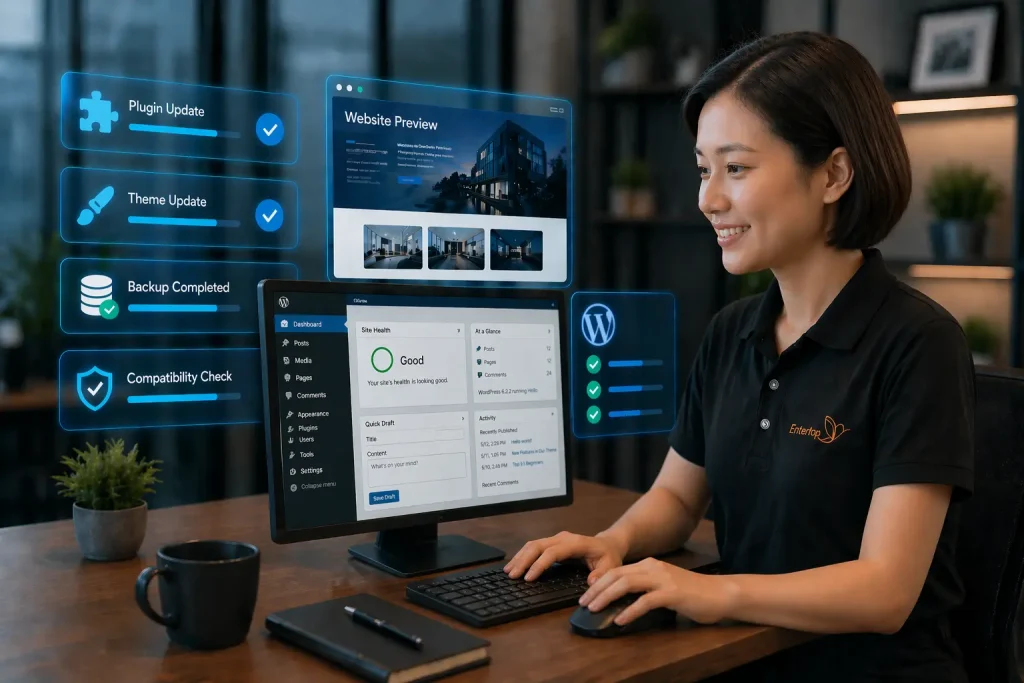
Use this checklist once a month to review your website’s content, technical health, security, and enquiry flow.
1. Check Website Content Accuracy
Outdated content can make your company look inactive or careless. Review the pages that customers use to understand your business.
- Company profile and business description
- Service or product information
- Phone number, email, WhatsApp link, and address
- Business hours and contact instructions
- Downloadable brochures, PDFs, and forms
2. Test All Enquiry Forms and CTA Buttons
Your website may be receiving traffic but losing leads if the enquiry process is broken.
- Contact form and quotation form
- WhatsApp button and call button
- Email link and form notification email
- Thank-you page or confirmation message
- Auto-reply email, if applicable
If your enquiry forms or backend functions require regular checking, consider a website maintenance service in Malaysia.
3. Update WordPress Core, Themes, and Plugins
WordPress updates should be handled carefully. Updating without backup or testing may cause layout, compatibility, or functionality issues. WordPress also recommends keeping WordPress core, themes, and plugins updated because updates often include bug fixes and security fixes.
- Review WordPress core version
- Check theme and plugin updates
- Backup before major updates
- Test important pages after updates
- Remove unused plugins where appropriate
Also read: WordPress plugins are not always plug-and-play.
4. Backup Website Files and Database
A backup is only useful if it is complete, recent, and restorable.
- Website files backup
- Database backup
- Backup frequency check
- External or remote backup storage
- Restore testing for important websites
5. Check Website Security
Security maintenance helps reduce the risk of malware, spam, unauthorised access, and customer trust issues. Google considers hacked content as content placed on a site without permission due to security vulnerabilities, and this can affect users and search visibility
- SSL certificate status
- Admin user accounts
- Strong password practice
- Spam form submissions
- Malware or suspicious file alerts
6. Review Website Speed and Performance
A slow website can affect user experience and reduce the chance of visitors staying long enough to contact your company.
- Homepage loading speed
- Mobile loading speed
- Large image files
- Cache and script loading
- Hosting performance issues
7. Check Broken Links and Missing Pages
Broken links create a poor user experience and may affect how search engines understand your website.
- Menu links and footer links
- Internal links between pages
- External links
- PDF download links
- 404 or missing pages
8. Review Website SEO Basics
Website maintenance should also include basic SEO health checks so your important pages remain discoverable.
- SEO title and meta description
- H1 and heading structure
- Image alt text
- Sitemap and robots.txt
- Internal links to service pages
9. Check Mobile Display
Many customers will first view your website from mobile. Make sure the experience is clear and easy to use.
- Mobile menu
- Text readability
- Button size and spacing
- Form usability
- WhatsApp click behaviour
10. Review Enquiry and Analytics Data
A properly maintained website should not only stay online. It should help your team understand whether the website is supporting business enquiries.
- Google Search Console performance
- Top landing pages
- Contact form submissions
- WhatsApp and call clicks
- Pages with impressions but low clicks
Need help checking your website regularly?
MWDesign provides professional website maintenance service for Malaysian businesses that need content updates, WordPress checks, backup review, security support, and technical assistance.Learn About Website Maintenance
Quarterly Website Maintenance Checklist
Some maintenance items do not need to be checked every week, but they should not be ignored for too long.
- Review outdated service pages and company information
- Update portfolio, case studies, or project highlights
- Refresh key landing pages based on enquiry trends
- Review SEO ranking and Google Search Console data
- Improve internal links from blog posts to service pages
- Review competitor websites and market positioning
- Check whether website design, content, or functionality still supports current business goals
Signs Your Website Needs Professional Maintenance Support
You may need professional website support if you notice any of the following:
- Your website loads slowly or sometimes fails to load
- Your contact form or WhatsApp button is not working properly
- You are afraid to update WordPress plugins because something may break
- Your website content is outdated but your team has no time to update it
- You are not sure whether your website backup can be restored
- Your website has spam, suspicious login attempts, or unknown user accounts
- Your website enquiries have dropped and you do not know why
Should You Maintain Your Website Yourself or Hire a Website Maintenance Company?
| Option | Suitable For | Possible Risk |
|---|---|---|
| Do It Yourself | Small static websites with simple content updates. | May miss technical, backup, security, or SEO issues. |
| Internal Staff | Companies with trained marketing or IT staff. | May lack WordPress, hosting, security, or troubleshooting experience. |
| Professional Website Maintenance Service | Business websites that need regular updates, backup, security checks, and support. | Requires a monthly or scheduled maintenance budget. |
Website Maintenance FAQ
Most business websites should be checked at least once a month. Websites with regular content updates, WordPress plugins, forms, or enquiry functions may need more frequent maintenance.
Website maintenance may include content updates, WordPress core, theme and plugin updates, backup checks, security checks, speed review, broken link checking, form testing, and basic SEO monitoring.
WordPress websites rely on themes, plugins, and CMS software. If they are not updated carefully, the website may face security risks, compatibility issues, broken layouts, or performance problems.
Yes, simple content checks can be done internally. However, technical updates, backup restoration, security checks, and troubleshooting are better handled by experienced website support providers.
Yes. A maintained website is more likely to have updated content, working links, faster loading speed, better mobile usability, and fewer technical issues, which can support SEO performance.
If you are unsure whether ongoing maintenance is still enough—or whether the website now needs a deeper strategic review—use our B2B Website Audit Checklist for Malaysian Companies.